Samsung Music
- 3.8
- Rating
- 1.00B
- Installs
- Free
- Price

 Analysis by App-foxy
I found Samsung Music most convincing as a straightforward local music player for people who use a Samsung Galaxy phone and want their own audio collection to stay easy to reach. It is not trying to replace a streaming service, build a social music community, or turn listening into a complicated project. Its appeal is much simpler: open your library, choose an album or artist, and start listening without paying for the app itself.
That narrow focus is both its main strength and its biggest limitation. In my experience, Samsung Music feels comfortable when your songs are already on the device and organized in a way the player can understand. It becomes less compelling if you expect a large streaming catalog, cloud-based synchronization, or advanced discovery tools. I would recommend it to a specific kind of listener rather than calling it the best music app for everyone.
What Samsung Music does well in everyday listening
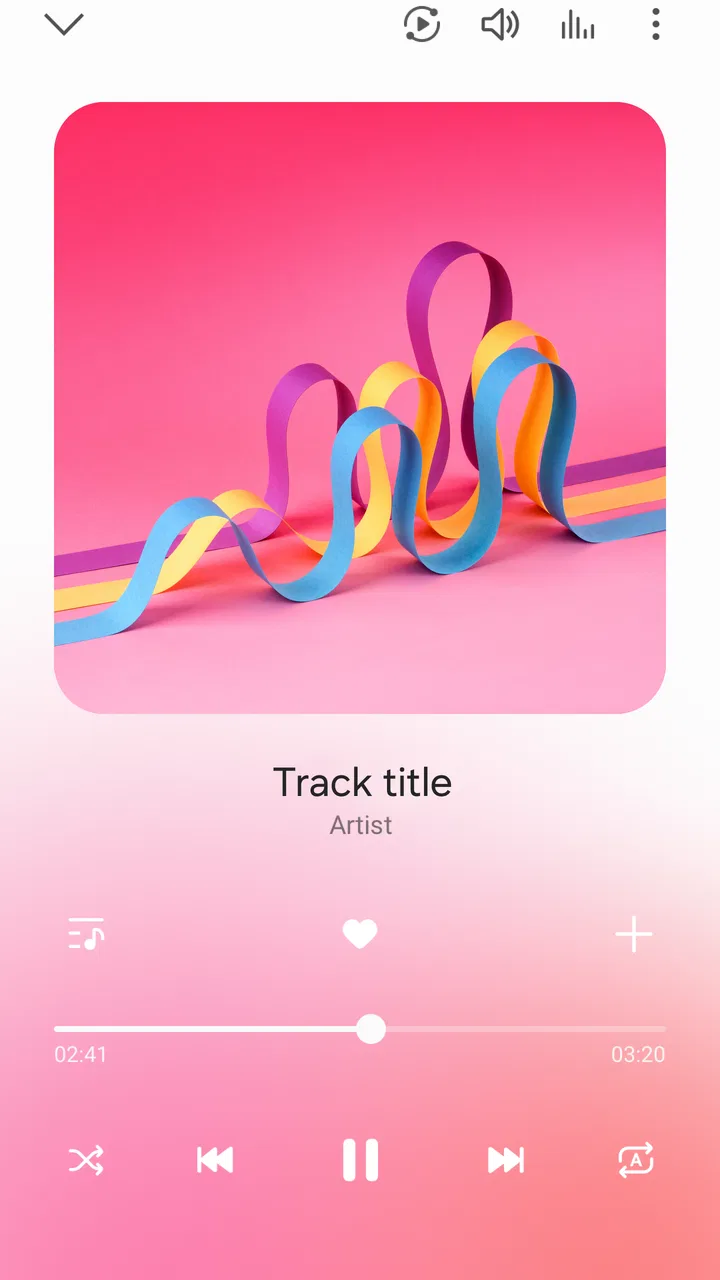
Samsung Electronics Co., Ltd. has kept this app centered on the basic music-player experience. The result is an interface that makes more sense when you think of it as a library browser than as a complete music ecosystem. I can move between songs, albums, artists, folders, and playlists without feeling pushed toward unrelated content. For someone who simply wants to play downloaded tracks, that directness is valuable.
In-Depth Coverage of Samsung Music
The app belongs to the Music & Audio category and is free to use. It is intended for Samsung Galaxy series devices and supports Android, with Android 9 as the minimum operating system. That makes compatibility worth checking before installation, especially if you are using an older phone or a non-Samsung Android device. The experience is most naturally aligned with Galaxy hardware, where the app is designed to fit into the phone’s existing environment.
One practical advantage is the way a local library can support different listening habits. I might choose an artist when I want a broad selection, open an album when I want the intended sequence, or use a playlist when I have already prepared music for a commute. Those paths serve different purposes, and a dedicated player handles them more cleanly than a general file manager.
A realistic example is a long trip where I have copied albums to my phone beforehand. With a streaming app, I would normally need to think about downloads, account access, and whether every track is available offline. With Samsung Music, the useful question is simply whether the audio files are present and readable. That makes it a sensible companion for listeners who keep personal collections, recordings, or purchased downloads on their device.
Library organization matters more than the first launch
The first thing I would tell a new user is not to judge the app only by its opening screen. The quality of the experience depends heavily on the condition of the music files themselves. If tags are inconsistent, one album may appear under several artist names, tracks may be sorted strangely, and compilations can look messy. The player can display a collection, but it cannot magically repair every organizational problem inside that collection.
Before relying on it for a large library, I would clean up album names, artist fields, track numbers, and cover images on a computer or with a trusted tag editor. This is one of the less obvious ways to improve Samsung Music: better file metadata produces a better browsing experience without changing any setting in the app. If your collection is carefully tagged, the album and artist views become far more useful.
There is also a trade-off between browsing by folders and browsing by tags. Folder organization reflects where files are stored, while artist and album views depend on the information embedded in each track. I prefer tags for normal listening because they feel closer to a record collection, but folders can be more dependable when audio files come from different sources and have uneven metadata. Switching between those approaches is a practical habit when the library does not look right at first.
Another useful workflow is to create small, purposeful playlists instead of one enormous list. I would make separate groups for walking, concentration, travel, or favorite albums rather than forcing every track into a single queue. This reduces the amount of scrolling and helps the app remain useful even when the phone contains a large personal collection.
Why the simple design can be a genuine advantage
Many music services are built around discovery. They want me to browse recommendations, follow artists, explore editorial selections, and keep returning to a changing catalog. That can be enjoyable, but it also adds visual and mental noise when I already know what I want to hear. Samsung Music takes the opposite approach. It is better when the listener arrives with a song, album, or personal playlist already in mind.
This makes it particularly suitable for someone who has converted CDs, keeps legally purchased downloads, or stores music received through ordinary file transfers. It can also work well for a listener who does not want another subscription in order to play music already owned. Since the app itself is free, the cost question is straightforward, although the music files obviously need to come from somewhere legitimate.
I also appreciate that a local player is less dependent on a changing online catalog. A streaming service can remove tracks, alter album availability, or make a favorite version difficult to find. A device-based collection offers more control over exactly which recordings are available. That control is not glamorous, but it matters to people who care about particular mixes, live recordings, language versions, or albums that are not consistently offered by streaming platforms.
You May Also Like

 AccuWeather: Weather Radar
AccuWeather Review: A Quick, Clear Forecast for Everyday Decisions
For everyday plans, the best forecast is the one you can understand quickly. AccuWeather makes rain timing, radar, and local conditions easy to act on, with a few trade-offs.

 Hill Climb Racing
Why Hill Climb Racing Still Turns Crashes Into One More Run
A tiny car, a bumpy hill and one more upgrade: Hill Climb Racing keeps resurfacing because its simple chaos makes every near-miss feel personal.

 AliExpress - Shopping App
AliExpress Makes Global Shopping Feel Personal, but Shoppers Bear the Risk
AliExpress turns a global marketplace into a pocket-sized discovery engine. Its reach is useful, its shopping loop compelling, and its trade-offs easy to miss.

 Lords Mobile: Kingdom Wars
Lords Mobile Is a Kingdom-Building Routine, Not a Quick Match
A case-by-case verdict on the building, battles, device demands, and social commitments that make Lords Mobile rewarding for some players and exhausting for others.

 PDF Scanner app - TapScanner
TapScanner Makes Paperwork Easier to Capture, Check, and Share
TapScanner makes scanning with a phone feel less like a rescue operation and more like a dependable step in getting work done. Its capture tools are useful, though not flawless.

 Block Blast!
Block Blast! Shows How Much a Puzzle Game Can Leave Out
A quiet grid game shows why puzzle players increasingly value instant clarity, repeatable skill and low-pressure play—and where the genre still needs to catch up.
More From Our News Desk
View All News


At the same time, local playback requires more responsibility from the user. I need to manage storage, move files when changing phones, and keep my collection organized. A streaming service handles much of that maintenance for me. Samsung Music is therefore strongest for people who value ownership and simplicity more than effortless catalog access.
Small habits that make the player easier to live with
When a track seems to be missing, I would first check the file location and its metadata rather than immediately assuming the app is broken. A song may be stored somewhere unexpected, named in a way that makes it hard to find, or grouped under a different artist spelling. Looking through multiple library views can reveal the issue faster than repeatedly searching the same term.
I would also keep a backup of important music outside the phone. A local player makes the device convenient, but the phone should not be the only copy of a personal collection. This is especially important for recordings that would be difficult to replace. The app is a playback tool, not a substitute for a sensible file-management and backup routine.
For long listening sessions, I prefer preparing a playlist before leaving home rather than building one track by track while walking or traveling. It keeps phone interaction to a minimum and reduces the chance of losing the mood by constantly browsing. This is a simple workflow, but it highlights where Samsung Music works best: the app rewards preparation more than spontaneous discovery.
If the library contains several versions of the same song, I would use clearer filenames and tags so that the differences are visible at a glance. Studio recordings, remixes, acoustic versions, and live performances can otherwise become confusing. A carefully labeled collection turns the player from a pile of files into something much closer to a personal catalog.
Where it falls short compared with modern alternatives
The most important weakness is that Samsung Music is not a streaming replacement. If I want instant access to a huge catalog, personalized recommendations, lyrics built into a wider service, or easy listening across several devices, I would look at a dedicated streaming platform instead. Those services are designed around access and discovery; this app is designed around playback of music already available on the phone.
That distinction also affects people who switch frequently between phones, tablets, and computers. A local library does not automatically feel as portable as a cloud-based account. Moving to a new device can involve copying files and rebuilding parts of the listening setup. For a user who expects every playlist and album to appear everywhere immediately, the traditional local-player model may feel old-fashioned.
There is another limitation in the way the app depends on the quality of the collection it receives. A streaming service generally presents polished album pages and consistent artist information because the catalog is maintained centrally. With personal files, I may have to correct missing artwork, inconsistent names, or awkward sorting myself. Samsung Music can make a clean collection pleasant to browse, but it cannot provide the same level of catalog uniformity.
I would also be cautious about choosing it solely because it carries the Samsung name if I use a different Android brand. The app supports Android, but its clearest identity is still tied to the Galaxy series. On a non-Samsung phone, the value may depend more on how well it handles the user’s particular library than on any special connection to the device. Someone seeking a broadly consistent experience across brands may prefer a player with a stronger cross-platform focus.
The age rating is Teen, which is a useful detail for families making decisions about installed software, but it does not change the central question: whether the listener wants local playback or an online music service. The app’s mature user base and large reach do not automatically make it suitable for every listening style. A high install count shows that many people use it, not that it matches every person’s needs.
Its public reception is reasonably positive but not flawless, with an average rating of 3.8 from around 812 thousand ratings and roughly 22 thousand written reviews. I read that as a sign of a practical app that satisfies many users while still leaving room for frustration. Local music players often receive mixed reactions because problems may come from file organization, device compatibility, or expectations shaped by streaming services rather than from playback alone.
The app has passed one billion installs, which gives it considerable visibility among Android users. I would not treat that figure as proof that it is technically superior to every alternative, but it does show how widely the Samsung approach has been adopted. Its current version is 16.2.42.0, so users should keep the app updated through their normal app source when possible, particularly if they encounter behavior that may have changed between releases.
Who should choose it, and who should skip it
I think Samsung Music is a strong fit for a Galaxy owner with a personal collection of MP3, AAC, or other supported audio files who wants a clean way to browse and play them. It is also a good choice for someone who dislikes subscription pressure and does not need constant recommendations. People who listen offline often, maintain carefully tagged albums, or prefer selecting music manually will understand its appeal quickly.
I would recommend trying something else first if your main activity is discovering new artists, following curated playlists, or listening to music that you have not downloaded. A streaming service will usually be more convenient for that purpose. The same applies if you need seamless listening across several operating systems or want your library to remain synchronized without manually moving files.
It may also be the wrong choice for a listener who expects extensive audio customization or a highly specialized interface. Samsung Music is approachable because it avoids turning every task into a technical decision, but that simplicity may feel limiting to enthusiasts who want deep control over playback behavior, library rules, or advanced organization. In that case, a specialist local player could be a better match, provided the user is willing to learn a more complex interface.
For families, I would evaluate the app based on the music already stored on the device and the way the phone is shared, rather than assuming that a music-player label tells the whole story. The Teen content rating should be considered alongside the device’s other apps and the listener’s age. The software itself is not a catalog of online entertainment in the same way a streaming platform is, so the practical context matters.
The free price makes experimentation easy. I can install it, point it at a small selection of music, and see whether the organization suits me without committing to a paid plan. That is the best way to decide, because the experience changes dramatically depending on whether the collection is a tidy set of albums or a mixture of loosely named files gathered over many years.
My final recommendation after using it as a daily player
Samsung Music succeeds because it knows what it is. It gives Samsung Galaxy users a familiar place for personal music and avoids burying basic playback under a large online service. When I have well-organized files and want dependable access to albums I already own, the app feels appropriately uncomplicated. Its strongest feature is not a flashy extra; it is the fact that the path from library to listening is short.
That simplicity should not be confused with universality. The app does not make local music as effortless as streaming, and it asks me to take care of file organization, storage, and transfers. Those responsibilities are acceptable if I value control, but they are unnecessary friction for someone who wants an enormous catalog available immediately.
My verdict is therefore specific: Samsung Music is a sensible free local player, especially for Galaxy owners with a prepared collection. I would choose it for offline albums, personal playlists, and music that I want to keep under my own control. I would skip it in favor of a streaming service for discovery and cross-device convenience, or choose a more specialized player if advanced controls matter more than an uncomplicated interface.
FAQs for Samsung Music
01What is Samsung Music, and what are its key features?
Samsung Music is a versatile music player app designed for Samsung devices, offering a seamless experience with a variety of audio formats. Key features include a clean interface, playlist creation, integration with Samsung's voice assistant Bixby, and easy access to music stored on your device. It also supports Bluetooth connectivity and offers a sleep timer.
02Is Samsung Music available for all Android and iOS devices?
Samsung Music is primarily designed for Samsung devices and is available through the Galaxy Store or Google Play Store. While it may work on other Android devices, functionality might be limited. Unfortunately, Samsung Music is not available for iOS devices, as it is tailored specifically for the Android ecosystem.
03Does Samsung Music support streaming services?
Samsung Music does not directly support music streaming services like Spotify or Apple Music. However, it allows you to play songs downloaded on your device or from external storage. For those who prefer streaming, you may need to use separate apps to access online music libraries.
04How does Samsung Music handle playlists and music organization?
Samsung Music offers a user-friendly way to create and manage playlists. You can easily sort your music by albums, artists, or folders. The app also allows you to organize songs into customizable playlists, ensuring you can quickly find and enjoy your favorite tracks without hassle.
05Is Samsung Music free, and are there any in-app purchases?
Samsung Music is a free app for Samsung users, with no in-app purchases required to access its core features. Users can enjoy an ad-free experience, making it an appealing choice for those who want a straightforward music player without the distraction of advertisements.
Pros
- Intuitive user interface for easy navigation.
- Seamless integration with Samsung devices.
- Wide range of audio formats supported.
- Offline playback for saved playlists.
- Customizable themes and layouts.
Cons
- Limited features on non-Samsung phones.
- No lyrics support for all songs.
- Requires Samsung account for full features.
- Ads in the free version can be intrusive.
- Lacks advanced equalizer settings.

Samsung Music
Gallery